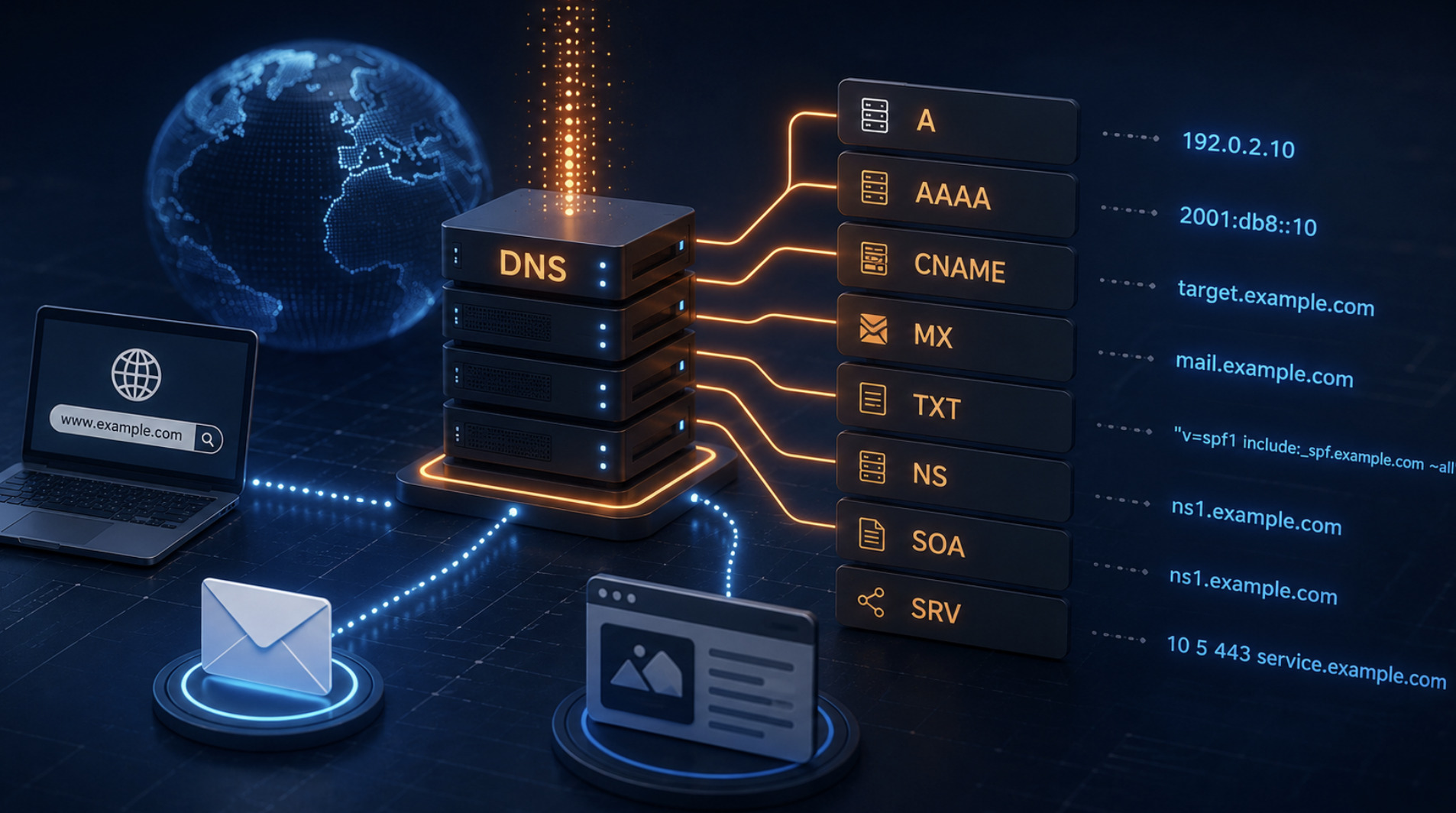
The DNS Records Every Hosting Control Panel Should Let You Manage
DNS is the quiet layer that makes the web usable. Every time someone types a domain, a chain of DNS lookups translates that human-friendly name into the addresses and instructions a computer needs to find your website and deliver your mail. When DNS is right, nobody thinks about it. When it is wrong, sites vanish, email bounces, and the cause is often invisible to anyone who does not know where to look. That is why the ability to manage DNS records directly is one of the most important features a hosting control panel can offer. This is a plain-English tour of the records that matter and why each one belongs at your fingertips.
Why control panel DNS management matters
In principle you could manage DNS anywhere it happens to live, but in practice keeping it inside the same control panel that runs your hosting removes a whole category of mistakes. When your domains, websites, mail and DNS zones are managed together, records stay consistent with the servers behind them, and a change made in one place does not quietly contradict a setting somewhere else. A panel like web-cp exposes DNS templates and per-domain zone editing precisely so administrators can see and adjust these records without leaving the interface or wrestling with raw zone files by hand.
Good DNS management also lowers the barrier for the people who need it most. Editing a zone file directly is unforgiving; a stray character or missing dot can take a domain offline. A control panel that presents records in a structured form, validates them and applies them safely turns a nervous operation into a routine one. The goal is not to hide DNS but to make it approachable, so that the person responsible for a domain can confidently do the handful of things they actually need to do.
The records that point your domain at a server
The most fundamental records are the ones that connect a name to an address. The A record maps a domain or subdomain to an IPv4 address, and the AAAA record does the same for IPv6. These are the records that tell the internet which server answers for your site, and they are the first thing you set when a domain goes live and the thing you change when it moves. Any control panel worth using must let you edit them easily, because almost every migration, server change or new subdomain begins here.
Alongside these sits the CNAME record, which points one name at another name rather than at an address. CNAMEs are how a subdomain like "www" is made to follow wherever the main domain goes, and how many third-party services ask you to prove and route a custom domain to their platform. Understanding the difference matters: an A record fixes a name to a specific address, while a CNAME defers to another name and inherits its address automatically. Being able to create and adjust both, per domain and subdomain, covers the vast majority of everyday routing needs.
The records that route your email
Email depends on a completely separate set of DNS records, and this is where missing control panel features cause the most pain. The MX record tells the world which mail servers are responsible for receiving messages for your domain. Without a correct MX record, mail simply has nowhere to go, and misconfigured priorities among multiple mail servers are a classic cause of intermittent delivery problems. Any panel that hosts email must let you manage MX records cleanly, because they are the foundation on which everything else about mail delivery rests.
Modern email deliverability, though, is increasingly governed by TXT records used for sender authentication. An SPF record, published as a TXT record, states which servers are allowed to send mail for your domain. DKIM publishes a cryptographic key that lets receiving servers verify a message really came from you and was not altered. DMARC ties the two together and tells receivers what to do with mail that fails those checks. Mailbox providers now lean heavily on this trio, and a domain without them is far more likely to land in spam. A control panel that lets you manage these authentication records is no longer a luxury; it is essential to getting your mail delivered at all.
The supporting records worth knowing
Beyond addressing and mail, a handful of other records round out a complete DNS toolkit. TXT records, besides carrying SPF, DKIM and DMARC, are the general-purpose way domains publish machine-readable information, and they are frequently used to verify ownership of a domain to an outside service. Being able to add an arbitrary TXT record on request is something you will need more often than you expect, usually at the exact moment some platform asks you to prove the domain is yours.
Two more deserve a mention. The NS records declare which name servers are authoritative for your domain, defining where the rest of your DNS actually lives; getting these right is what makes every other record you set take effect. The occasionally overlooked SOA record holds administrative settings for the zone, including timers that influence how changes propagate. Most administrators touch NS and SOA rarely, but a control panel should still surface them, because when something in DNS is behaving strangely, these are often where the answer hides.
Bringing it together
Managing DNS well is really about understanding a small vocabulary of records and having a safe place to edit them. The A and AAAA records point your names at servers, the CNAME lets names follow other names, the MX record routes your mail, and the TXT-based SPF, DKIM and DMARC records keep that mail trusted and delivered. NS and SOA sit underneath, defining where the zone lives and how it behaves. None of these are complicated once you know what they do, but all of them can break a service quietly when they are wrong.
The value of a control panel that exposes every one of these records is that it puts the whole picture in one place, consistent with the hosting behind it and safe to edit without hand-writing zone files. Whether you are launching a new site, moving a domain or fixing an email problem, the fix almost always comes down to one of these records. Knowing which one — and being able to reach it directly from the panel that runs your hosting — is what turns DNS from a source of mystery outages into just another part of the job you can manage with confidence.