How to Choose the Right Web Hosting Control Panel for Linux
The web hosting control panel is one of those decisions that feels small at signup and enormous three years later. It is the layer through which domains, email, databases, DNS, and users are managed, and once a platform is built around a particular panel, moving away from it is painful. Choosing well at the start — or choosing deliberately when you migrate — saves an extraordinary amount of future grief. This guide walks through what actually matters when selecting a control panel for a Linux server, and why the answer is rarely "whatever ships by default."
What a control panel really does
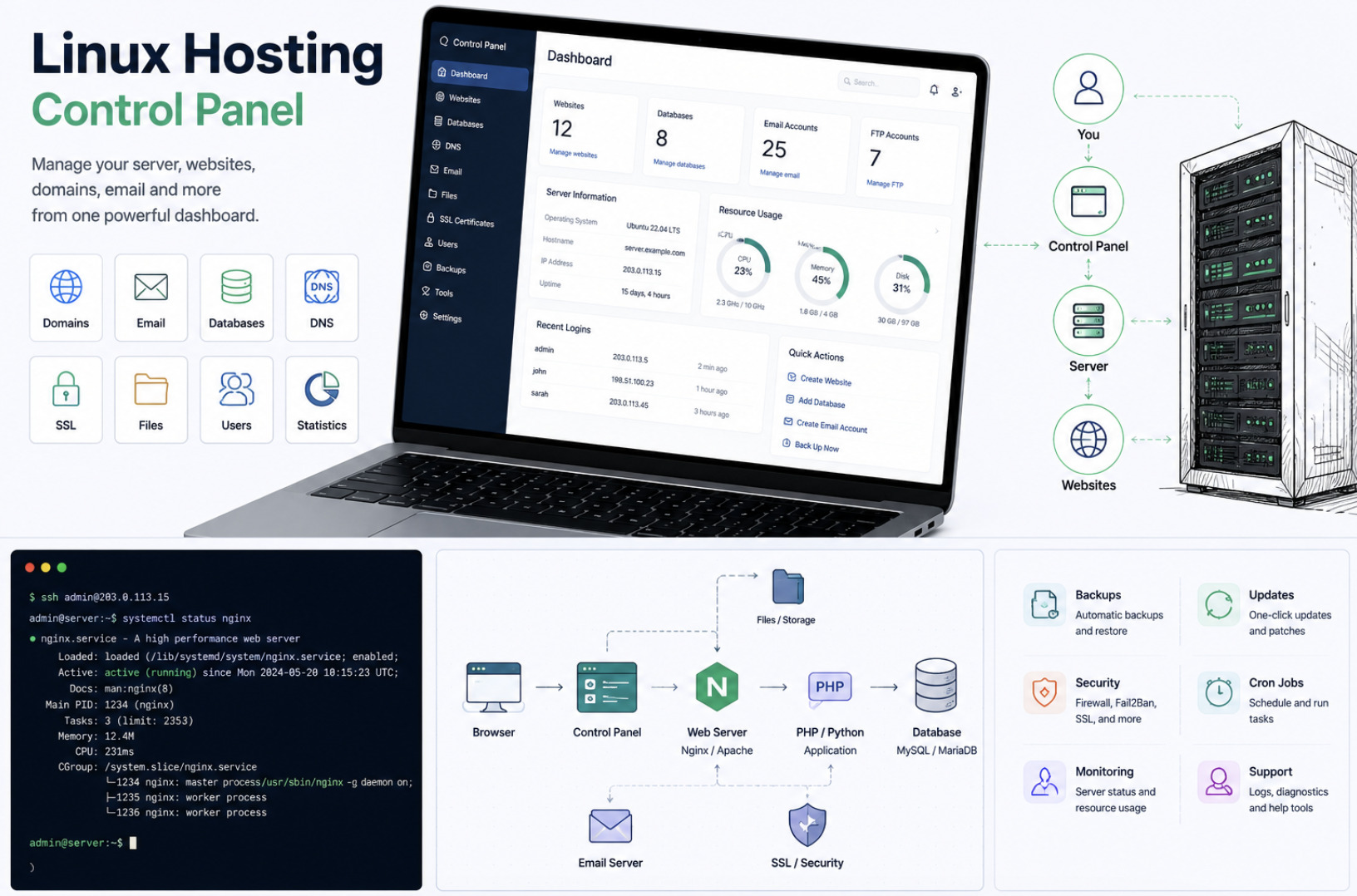
At its core, a hosting control panel is an abstraction over the messy reality of running a server. Underneath sit Apache or Nginx, a mail transfer agent, a DNS server, a database engine, PHP or other runtimes, and dozens of configuration files that must stay consistent with one another. A control panel gives administrators, resellers, and end users a coherent interface over all of it, so that adding a domain, provisioning a mailbox, or spinning up a database does not require editing virtual host files by hand.
The value is not just convenience. A good panel enforces consistency, reduces the chance of a misconfiguration that takes a server down, and lets less technical users manage their own accounts without root access. The trade-off is that you are inheriting someone else's model of how a server should be organized — which is exactly why the choice deserves scrutiny.
Open source versus commercial: the central decision
The first and most consequential fork is whether to run an open source panel or a commercial one. For years this felt like a settled question, with commercial panels dominating shared hosting. That consensus has eroded, largely because of pricing. When per-account licensing costs rise sharply, the economics of a hosting business change overnight, and many operators have gone looking for alternatives — a shift we examined in how cPanel pricing drove hosting providers toward open source alternatives.
Commercial panels typically offer polished interfaces, large support organizations, and deep third-party integration. What you give up is control and predictable cost: you depend on a vendor's roadmap, its pricing decisions, and its continued existence.
Open source panels invert that bargain. You own the software, you can read and modify the source, and there are no per-account fees to blindside your margins. The cost moves elsewhere — you carry more responsibility for support and, in some cases, for a less glossy interface. For operators who value autonomy and transparent economics, that is a trade worth making, which is the philosophy behind GPL-licensed panels written in accessible languages like PHP.
Security is the feature that matters most
Whatever else a panel does, it must not become the weakest point in your stack. Because a control panel runs with high privileges and exposes a web interface to the internet, a vulnerability in the panel is a vulnerability in every site it manages. This is not hypothetical; panels have historically been a favored target precisely because compromising one yields access to many accounts at once.
When evaluating a panel, look hard at its security posture. How quickly are vulnerabilities patched, and is there a clear disclosure process? Does it support modern TLS everywhere, including for the panel's own login? Are privilege boundaries between the server, reseller, domain, and personal levels enforced properly, so that a compromised end-user account cannot escalate? Open source panels offer an advantage here that is easy to underrate: the code can be audited by anyone, so security depends on visible design rather than a vendor's assurances.
Resource footprint and the stack it assumes
A control panel is not free of overhead. Some pull in a heavy set of dependencies, background daemons, and their own service stack, consuming memory and CPU that you would rather spend serving sites. On a large server this may be negligible; on a modest VPS it can be the difference between a responsive platform and a sluggish one.
Equally important is which underlying stack the panel assumes. A panel tightly bound to a specific web server, database, and operating system gives you less freedom to make your own architectural choices. Lightweight panels that run on the standard, well-understood combination of Apache, MySQL, and PHP — and that work across the common Linux and BSD distributions — keep your options open and your requirements simple. Before committing, confirm that the panel supports the exact operating system and services you intend to run, not merely the vendor's preferred configuration.
The multi-tenant model: server, reseller, domain, user
If you are running anything beyond a single site, the panel's account model becomes central. Mature hosting is inherently multi-tenant: a server administrator sits at the top, resellers manage their own sets of accounts beneath them, domain owners administer their sites, and individual users manage only their own settings. A well-designed panel expresses this hierarchy cleanly, with each level able to do its job and unable to reach beyond it.
This top-down structure is what makes a panel suitable for real hosting businesses rather than just personal servers. When you evaluate a candidate, map its permission model onto how you actually operate. Can a reseller be given exactly the capabilities you intend, no more and no less? Can an end user reset their own password and spam settings without a support ticket? The cleaner this separation, the less operational load falls on you.
Avoiding lock-in and planning for migration
The final consideration is the one most people ignore until it hurts: how hard is it to leave? Lock-in comes in many forms — proprietary configuration formats, data stored in ways that are difficult to export, and workflows so specific that staff and customers cannot easily adapt to anything else. The more a panel encourages you to depend on its unique way of doing things, the higher the eventual cost of change.
Favor panels that keep data in standard, portable formats and that sit on top of conventional services rather than replacing them wholesale. Open source panels tend to score well here, both because you can inspect exactly how data is stored and because there is no commercial incentive to trap you. A control panel should make your life easier while you use it and should not punish you for leaving — a standard that surprisingly few products meet.
Making the decision
Pulling this together, the right control panel for a Linux server is the one that matches your operational reality on a handful of concrete axes. Weigh the open source versus commercial trade-off honestly, with a clear eye on long-term cost and control. Treat security as a primary selection criterion rather than an afterthought. Check the resource footprint and confirm compatibility with the exact stack and operating systems you run. Make sure the multi-tenant model fits how you actually delegate access. And think, before you commit, about how you would migrate away if you ever needed to.
No single panel is correct for everyone. A large provider optimizing for polish and vendor support will weigh these factors differently than a lean operator prioritizing cost control and autonomy. But teams that evaluate deliberately, rather than accepting whatever came pre-installed, almost always end up with a platform that is cheaper to run, easier to secure, and far less likely to hold them hostage down the road.